

AI that works from your team's own work
Your team has solved this before. HavnSight remembers.
Every ticket your team closes and every runbook it writes becomes something HavnSight can use. Its AI drafts the next answer from your own work, shows where it came from, and stays within the limits you set.
No credit card required. Sign up with your work email.

Lena's VPN keeps dropping, and her client call is at 9:30
VPN keeps dropping
- Your data regionEach organization is kept in the region it chose.
- One sign-inEvery product on one identity, roles and permissions.
- AI that never trains on youNo prompts or answers kept after a request.
- Access you decideIntelligence reads only what each person may see.
Every fix, ready for the next one.
Desk, Respond, Keystone and Flow on one sign-in, with AI that works from your own runbooks and shows its sources. More product families are on the way.

The payments alert fired, and nobody has answered
 Respond
Payments API

How do we renew the VPN gateway certificate?
 Keystone
Renew the VPN gateway certificate

Alex starts on Monday and needs a laptop
 Flow
New starter: laptop
Approved in two steps, nobody chased

Only the IT team should change Desk settings
Who can change Desk settings
Two real moments
It starts from what your team already knows.
The answer was already in Keystone
Priya at Northwind asks where to see her current jobs. Nobody on shift remembers, but the team wrote a guide for it months ago. HavnSight finds that Keystone page, drafts the reply with the guide's link in it, and shows Sam where every line came from. Sam adds a line and sends. Two minutes after she asked, Priya has the answer and a guide to keep.
Hi, where can I see the current jobs? I can only find the finished ones.
Viewing active and scheduled jobs
Customer guides › Jobs · updated 3 Oct by Mia
Same question answered in ticket #4870 on 19 Sep
Hi Priya, running jobs are under Operations › Jobs › Active. The default view shows finished jobs, so switch the filter at the top to Running, and save it as your default from the same menu.
Step-by-step guide: help.yourcompany.com/guides/active-jobs
Sent 10:16 · Priya: “Found it, thanks!” · Resolved
Team settings: draft for review · tone: empathetic
A P1 customer, at 3 a.m. your time
Kenji at Hoshi Logistics in Tokyo starts his day to find the dashboards won't load. In London it's 03:10. Hoshi is a P1 customer, and your rule says P1 customers get a first reply within 15 minutes, day or night. Nobody has to watch the queue for that promise to hold.
None of our dashboards have loaded since this morning. Our ops team is blind.
- 03:10Rule matched: P1 customer, first reply within 15 minutes, around the clock. Due 03:25.
- 03:10Keystone runbook found: “Dashboards not loading”. A holding reply is drafted for review.
- 03:15No reply yet. Respond pages Ana, on call in Singapore, where it's 10:15.
- 03:16Ana acknowledges, sends the reply and snoozes repeat alerts for 30 minutes while she works.
- 03:17Answered in 7 minutes. Had Ana not responded, Respond would have paged Tom, the backup, and then the duty manager.
Dashboards not loading · runbook attached
Snooze stops the repeat alerts. The 15-minute promise keeps counting.
Names, companies and times are an example.
Operations: four products, one sign-in
Start with one. Add the rest later.

Ticketing for support and IT teams.
Email and portal ticket intake, live status dashboards, SLA tracking, and team-based routing.
Explore HavnSight Desk- Omnichannel Intake
- SLA Tracking
- Intelligent Routing
HavnSight Intelligence
AI you can check and tune to your team.
It drafts from your Keystone runbooks and the tickets your team already solved, and names the page it used. You decide how far it goes and which topics it leaves to a person. When it isn't sure, it says so instead of guessing.
- What it uses
- Your Keystone runbooks and the tickets your team already solved
- Where it lives
- Inside the ticket, the escalation and the workflow
- Sources
- Names the runbook page it used
- Your controls
- How far it goes, its tone, the topics it leaves to a person, or off entirely
- Model
- HavnSight Intelligence, or your own key for OpenAI or Anthropic
- What it can see
- Only what the person's roles and permissions allow

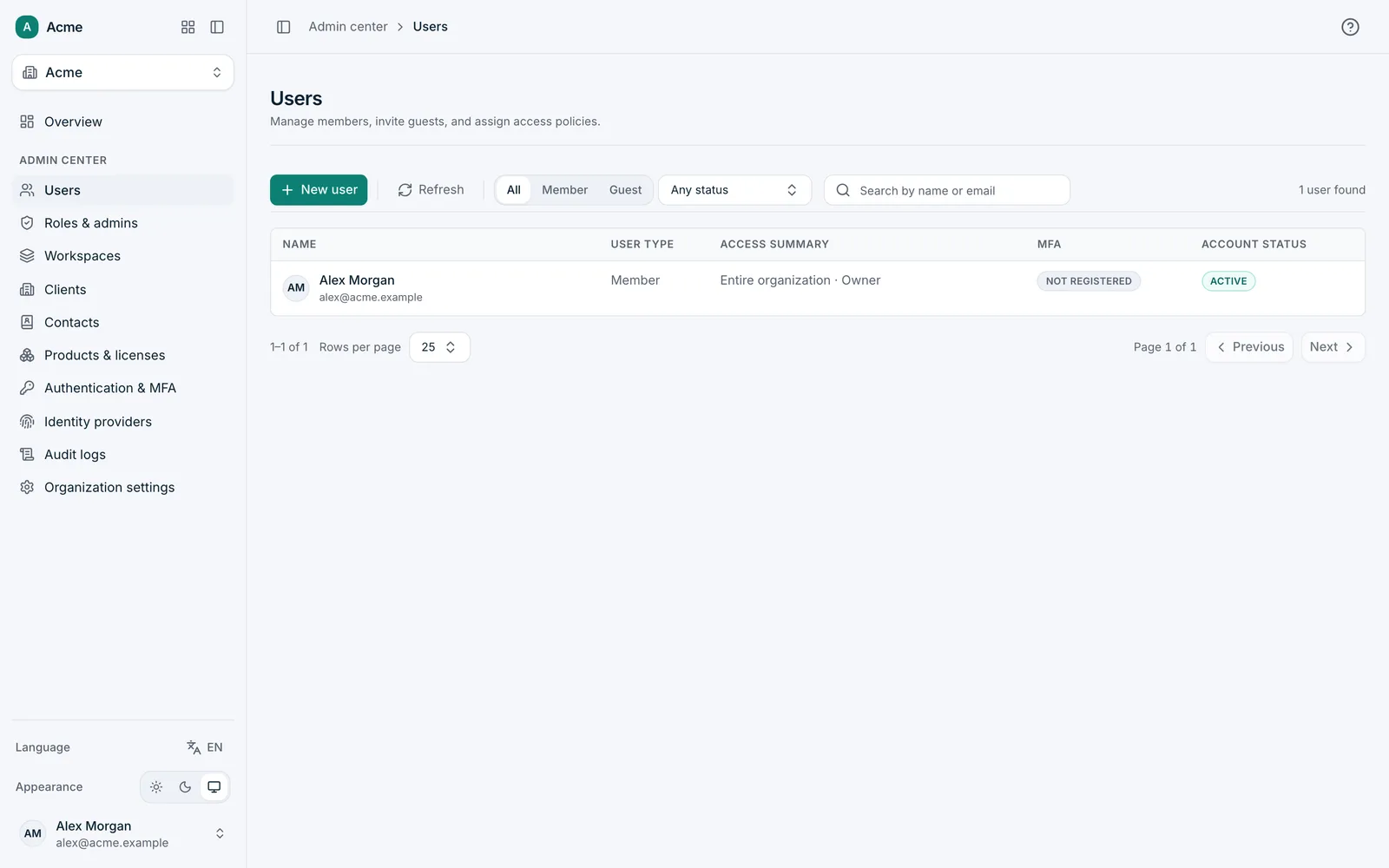
Admin center
Govern every product from one place.
People, roles, sign-in rules and single sign-on for the whole organization, in one admin center that every product follows.
Foundations
One platform, built to the same standard.
Specified before it's built
Each part starts as a written design that sets its rules, its data and its limits before any code exists.
One identity, one data model
Every product shares people, permissions and records, so nothing is copied between tools or out of sync.
Secure and accessible by default
Region choice, role-based access and WCAG 2.2 AA are requirements from day one, not a later phase.
The tour, in a minute
From the first ticket to the admin center.
Control
Your people, your region, your choice of AI.
- One identity
- One set of people and permissions across all four products.
- Your region
- Choose where your company's data is hosted.
- Your choice of AI
- Use HavnSight Intelligence, which runs on an enterprise AI service that doesn't train on your data, or bring your own key for OpenAI or Anthropic, with no markup.
- Role-based access
- Decide who sees and changes what, per product.